Exercise 16: Interface and Application Programming
Assignment 16: Write an application that interfaces with an input &/or output device that you made, comparing as many tool options as possible.
This assignment scared me a bit because I do not have a programming background. Luckily enough, Jordi at Opendot hold a lesson on Processing and I learned how to create nice interfaces in just a few hours.
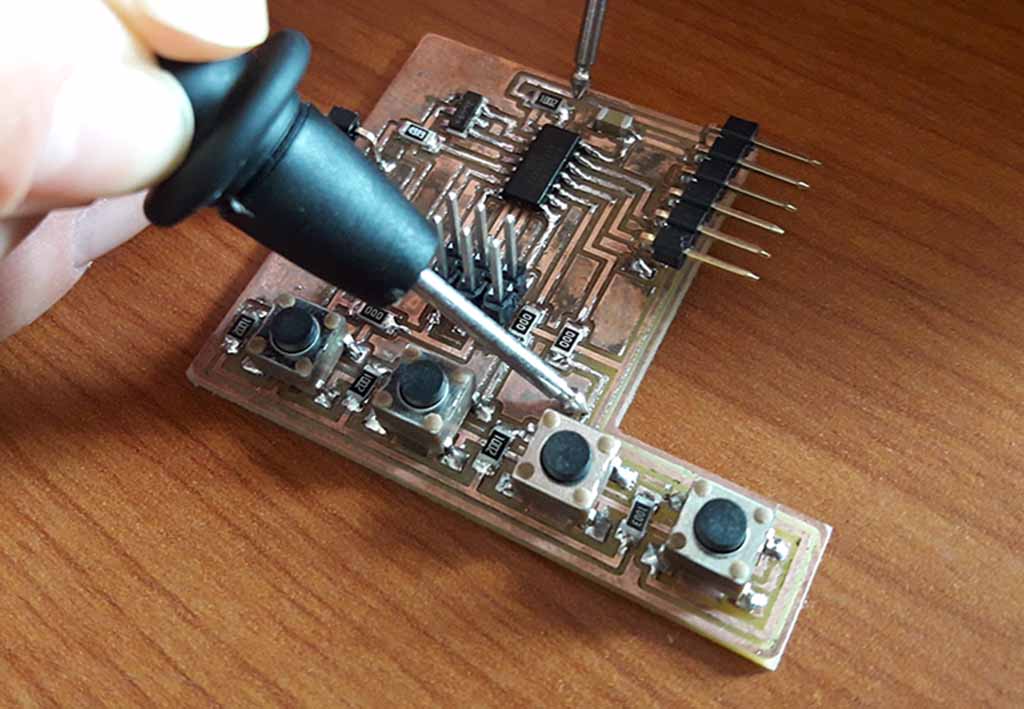
As you can see here, the electronic part of my final project consists of a board (you can see my board in the Figure 1) with some buttons. The combination of pressed and unpressed buttons generates a value that the ATtiny sends through the serial port. So I decided to create an interface for reading these value and handle questions and answers using Processing.
Processing is an open source computer programming language and integrated development environment (IDE) built visual designer which is similar to Arduino. A Processing program is called a sketch. Interactive programs are drawn as a series of frames, which you can create by adding functions titled setup() and draw(): the setup() block runs once, and the draw() block runs repeatedly. As in Arduino, setup() can be used for any initialization, while the draw() block - similar to the Arduino loop() - is used to handle animation.
First of all, I identified the messages exchanged between my board and the Processing user interface. At the beginning, the program listens the serial port waiting for a message and catches the event when a new byte is received. If the received byte is equal to 255 (the maximum value), it generates a new question and sends the question number to the board. If the next byte is again 255, it restarts generating a new question. Instead, if the next byte is equal to the latest generated question, it means that the user has chosen the right card. Since the answer is correct, the user interface acknowledges the correct answer and restarts, waiting for a start message.
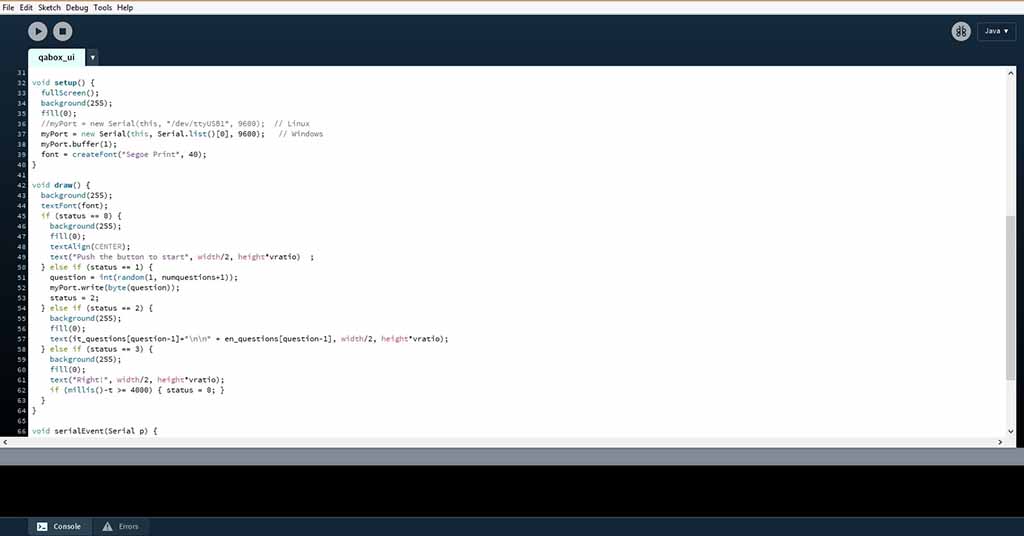
Initially I created a waterfall of nested if clause to consider all the possible combinations, but the code was a mess. Then, Emanuele suggested me to use a status variable to keep track of the status of the game. So, I created a new variable 'status' (Fig. 2) which can be 0 (wait for the start button), 1 (generate a new random question), 2 (wait for the answer), 3 (correct answer). The main draw() program checks the value of the status and takes some actions according the status. When a byte is received or a new answer is sent, the status is changed and the interface updates.
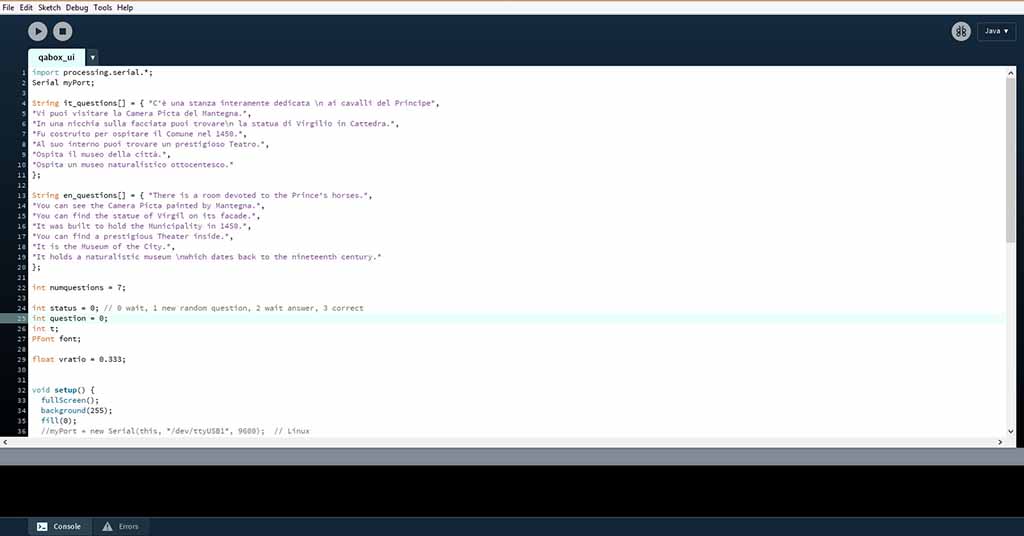
Since the game will be put in a museum, I added support for questions in two languages (Fig. 3): Italian (my mother tongue) and English, storing the questions into two arrays.
At first, I though of storing the questions and the answer into the board, and sending all the data to the user interface through the USB port. However, I decided to move most of the logic inside the user interface, using the chip of the game as a simple device which sends just numbers. The advantage of this approach is two-fold: the exchanged messages are simples, meaning that the system will be less prone to errors, and changing the questions it is simpler because you do noT have to reprogram the chip but just change the code running on the computer.
The code I wrote for the interface is the following:
	import processing.serial.*;
	Serial myPort;

	String it_questions[] = { "C'è una stanza interamente dedicata \n ai cavalli del Principe",
	"Vi puoi visitare la Camera Picta del Mantegna.",
	"In una nicchia sulla facciata puoi trovare\n la statua di Virgilio in Cattedra.",
	"Fu costruito per ospitare il Comune nel 1450.",
	"Al suo interno puoi trovare un prestigioso Teatro.",
	"Ospita il museo della città.",
	"Ospita un museo naturalistico ottocentesco."
	};

	String en_questions[] = { "There is a room devoted to the Prince's horses.",
	"You can see the Camera Picta painted by Mantegna.",
	"You can find the statue of Virgil on its facade.",
	"It was built to hold the Municipality in 1450.",
	"You can find a prestigious Theater inside.",
	"It is the Museum of the City.",
	"It holds a naturalistic museum \nwhich dates back to the nineteenth century."
	};

	int numquestions = 7;

    int status = 0; // 0 wait, 1 new random question, 2 wait answer, 3 correct
	int question = 0;
	int t;
	PFont font;

	float vratio = 0.333;

	void setup() {
	fullScreen();
	background(255);
	fill(0);
	//myPort = new Serial(this, "/dev/ttyUSB1", 9600);  // Linux
	myPort = new Serial(this, Serial.list()[0], 9600);   // Windows
	myPort.buffer(1);
	font = createFont("Segoe Print", 40);
	}

	void draw() {
	background(255);
	textFont(font);
	if (status == 0) {
	background(255);
	fill(0);
	textAlign(CENTER);
	text("Push the button to start", width/2, height*vratio);
	} else if (status == 1) {
	question = int(random(1, numquestions+1));
	myPort.write(byte(question));
	status = 2;
	} else if (status == 2) {
	background(255);
	fill(0);
	text(it_questions[question-1]+"\n\n" + en_questions[question-1], width/2, height*vratio);
	} else if (status == 3) {
	background(255);
	fill(0);
	text("Right!", width/2, height*vratio);
	if (millis()-t >= 4000) { status = 0; }
	}
	}

	void serialEvent(Serial p) {
	int inVal = p.read();
	if (inVal == 255 ) {
	status = 1;
	delay(1000);
	} else if (inVal == question) {
	status = 3;
	t = millis();
	}
	p.clear();
	}
Originally I centered on the screen all the messages. Actually, when testing the code with my final project, I found the hole for the screen was in the top part of the LCD, and this value needs to be adjusted to the size of the screen. So I added a vratio variable, which can be modified to correct the vertical position (0.333 is one third of screen height, which is fine for the screen of my laptop).
The code processing code running on my final project is visible in Figure 4.