Creating the control app iOS
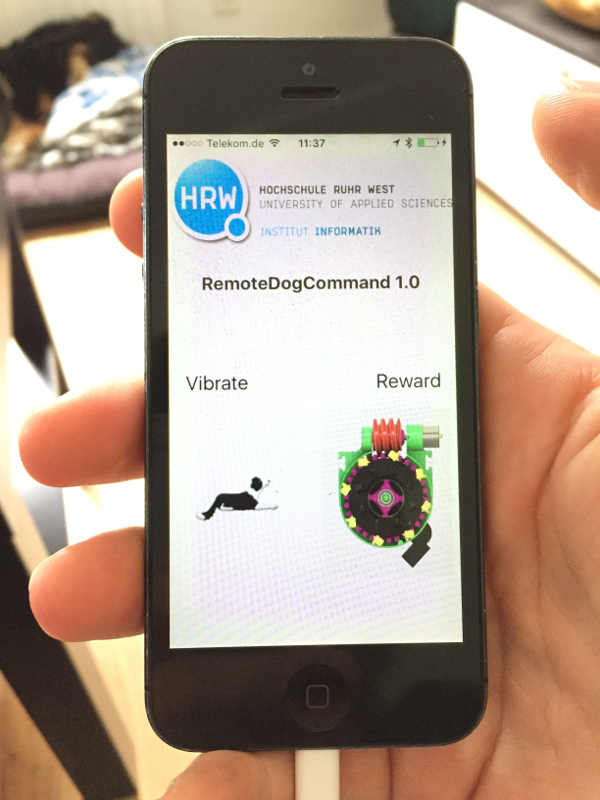
To control the harness I created an iOS App that is able to send simple commands over bluetooth to the receiver on the harness.
First the UI
TI created an iOS app also for my final project to communicate with a microcontroller over bluetooth.
To to so I used xCode from Apple to create a native iOS app written in Swift. First I started to create the project in with the project wizard.
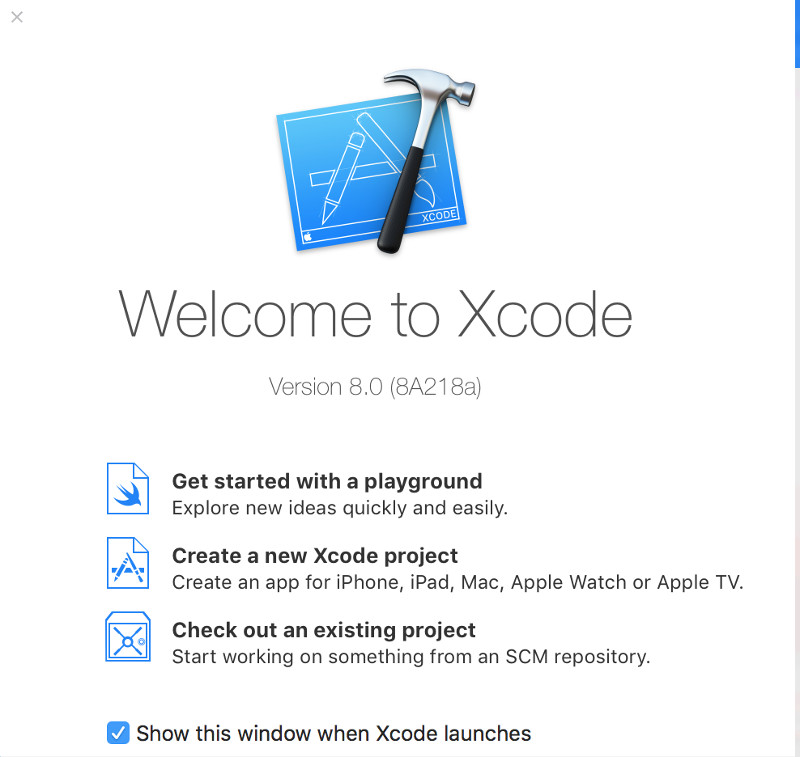
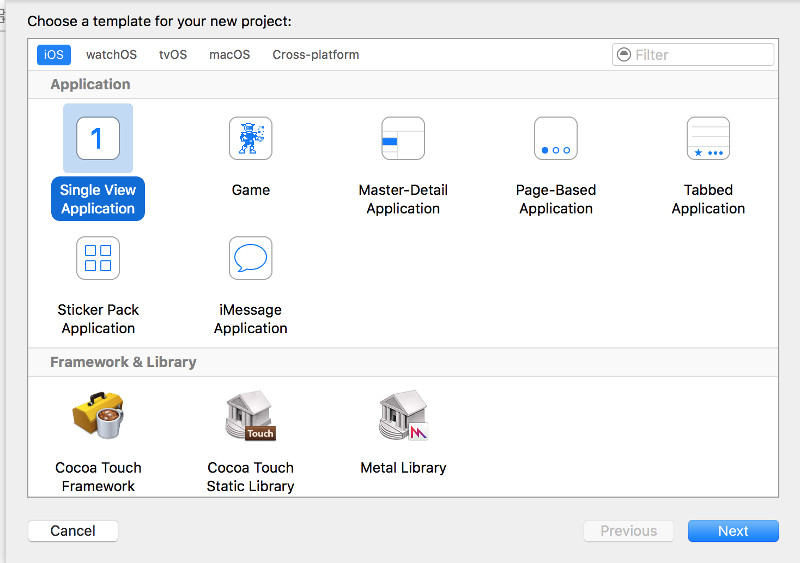
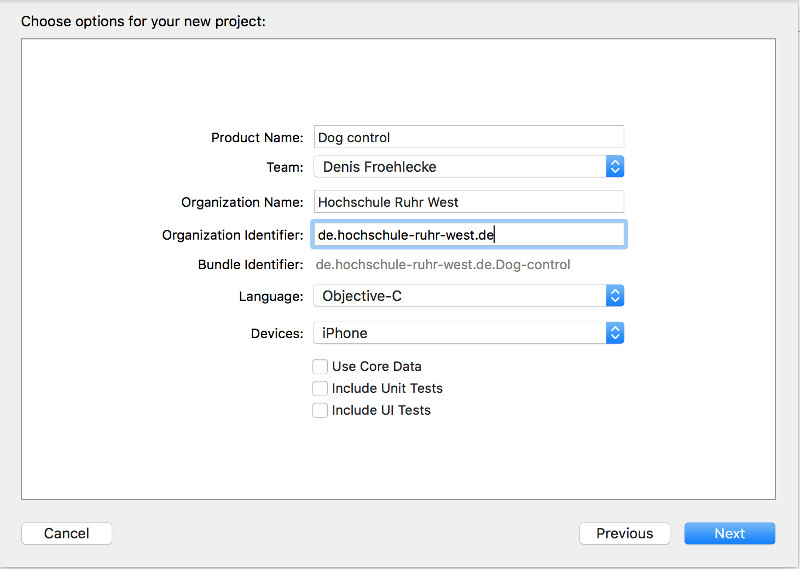
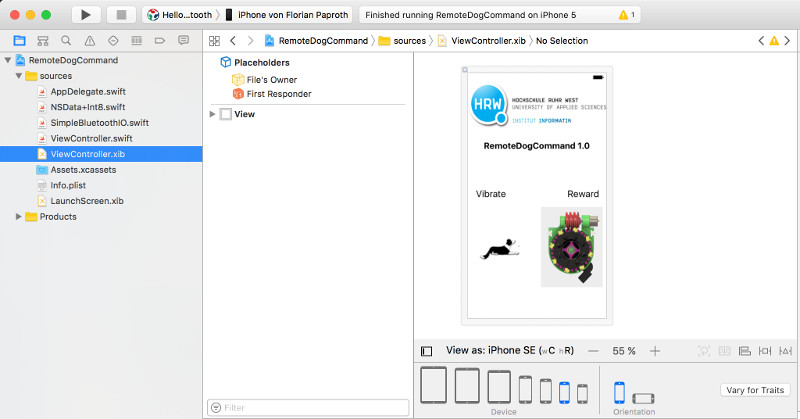
Creating the UI in xCode is very simple and straight forward. User interface slides are created in (.xib) files. In this files you create the view with all kind of UI elements like graphics, labels and buttons. Y
Bluetooth controller in swift
This class SimpleBluetoothIO.swift organize the bluetooth communication in swift.
                    import CoreBluetooth

protocol SimpleBluetoothIODelegate: class {
    func simpleBluetoothIO(simpleBluetoothIO: SimpleBluetoothIO, didReceiveValue value: Int8)
}

class SimpleBluetoothIO: NSObject {
    let serviceUUID: String
    weak var delegate: SimpleBluetoothIODelegate?

    var centralManager: CBCentralManager!
    var connectedPeripheral: CBPeripheral?
    var targetService: CBService?
    var writableCharacteristic: CBCharacteristic?

    init(serviceUUID: String, delegate: SimpleBluetoothIODelegate?) {
        self.serviceUUID = serviceUUID
        self.delegate = delegate

        super.init()

        centralManager = CBCentralManager(delegate: self, queue: nil)
    }

    func writeValue(value: Int8) {
        guard let peripheral = connectedPeripheral, let characteristic = writableCharacteristic else {
            return
        }

        let data = Data.dataWithValue(value: value)
        peripheral.writeValue(data, for: characteristic, type: .withResponse)
    }

}

extension SimpleBluetoothIO: CBCentralManagerDelegate {
    func centralManager(_ central: CBCentralManager, didConnect peripheral: CBPeripheral) {
        peripheral.discoverServices(nil)
    }

    func centralManager(_ central: CBCentralManager, didDiscover peripheral: CBPeripheral, advertisementData: [String : Any], rssi RSSI: NSNumber) {
        connectedPeripheral = peripheral

        if let connectedPeripheral = connectedPeripheral {
            connectedPeripheral.delegate = self
            centralManager.connect(connectedPeripheral, options: nil)
        }
        centralManager.stopScan()
        NSLog("stopScan");
    }

    func centralManagerDidUpdateState(_ central: CBCentralManager) {
        NSLog("scanForPeripherals");
        if central.state == .poweredOn {
            NSLog("poweredOn / Start scan");
            centralManager.scanForPeripherals(withServices: [CBUUID(string: serviceUUID)], options: nil)
        }
    }
}

extension SimpleBluetoothIO: CBPeripheralDelegate {
    func peripheral(_ peripheral: CBPeripheral, didDiscoverServices error: Error?) {

        NSLog("didDiscoverServices");
        guard let services = peripheral.services else {
            return
        }

        targetService = services.first
        if let service = services.first {
            targetService = service
            peripheral.discoverCharacteristics(nil, for: service)
        }
    }

    func peripheral(_ peripheral: CBPeripheral, didDiscoverCharacteristicsFor service: CBService, error: Error?) {

        NSLog("didDiscoverCharacteristicsFor");
        guard let characteristics = service.characteristics else {
            return
        }

        for characteristic in characteristics {
            if characteristic.properties.contains(.write) || characteristic.properties.contains(.writeWithoutResponse) {
                writableCharacteristic = characteristic
            }
            peripheral.setNotifyValue(true, for: characteristic)
        }
    }

    func peripheral(_ peripheral: CBPeripheral, didUpdateValueFor characteristic: CBCharacteristic, error: Error?) {

        NSLog("didUpdateValueFor");
        guard let data = characteristic.value, let delegate = delegate else {
            return
        }

        delegate.simpleBluetoothIO(simpleBluetoothIO: self, didReceiveValue: data.int8Value())
    }
}
This class ViewController.swift manage the UI and delegate the user input to the bluetooth commands. It uses the bluetooth class to send commands for the buttons. Every button send a command when it is pressed and when it is released again.
import UIKit

class ViewController: UIViewController {
    var simpleBluetoothIO: SimpleBluetoothIO!

    @IBOutlet weak var downToggleButton: UIButton!
    @IBOutlet weak var rewardToggleButton: UIButton!

    override func viewDidLoad() {
        super.viewDidLoad()

        simpleBluetoothIO = SimpleBluetoothIO(serviceUUID: "19B10010-E8F2-537E-4F6C-D104768A1214", delegate: self)
    }

    @IBAction func downCommandToggleButtonDown(_ sender: UIButton) {
        simpleBluetoothIO.writeValue(value: 1)
    }

    @IBAction func downCommandToggleButtonUp(_ sender: UIButton) {
        simpleBluetoothIO.writeValue(value: 0)
    }

    @IBAction func rewardToggleButtonDown(_ sender: UIButton) {
        simpleBluetoothIO.writeValue(value: 3)
    }

    @IBAction func rewardToggleButtonUp(_ sender: UIButton) {
        simpleBluetoothIO.writeValue(value: 4)
    }
}

/*
 * Receive signals from bluetooth
 */
extension ViewController: SimpleBluetoothIODelegate {
    func simpleBluetoothIO(simpleBluetoothIO: SimpleBluetoothIO, didReceiveValue value: Int8) {

    }
}
Final app demonstration
The app is way simple to use. It automatically connects to the bluetooth service with the given UUID. There is no need for pairing before. After starting the app there are the input buttons to control the harness. When pressing the button the command will be send over bluetooth and thats it.
Download section app store
| xCode project | download |