Functional requirement of MTM
We did made sand drawing machine in week no 9 where we have made mechanical component assembled to form 3 axis machine.
In this week we are required to make this machine operational. Following are some of the requirements which we are targeting to complete
In this week we are required to make this machine operational. Following are some of the requirements which we are targeting to complete
- Make electronic boards required to run stepper motor
- Program those boards
- Make machine operational
Gestalt node
We have selected to use gestalt node to run stepper motor
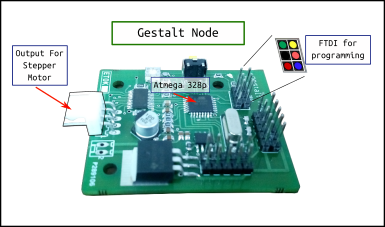
Soldering of Gestalt nodes
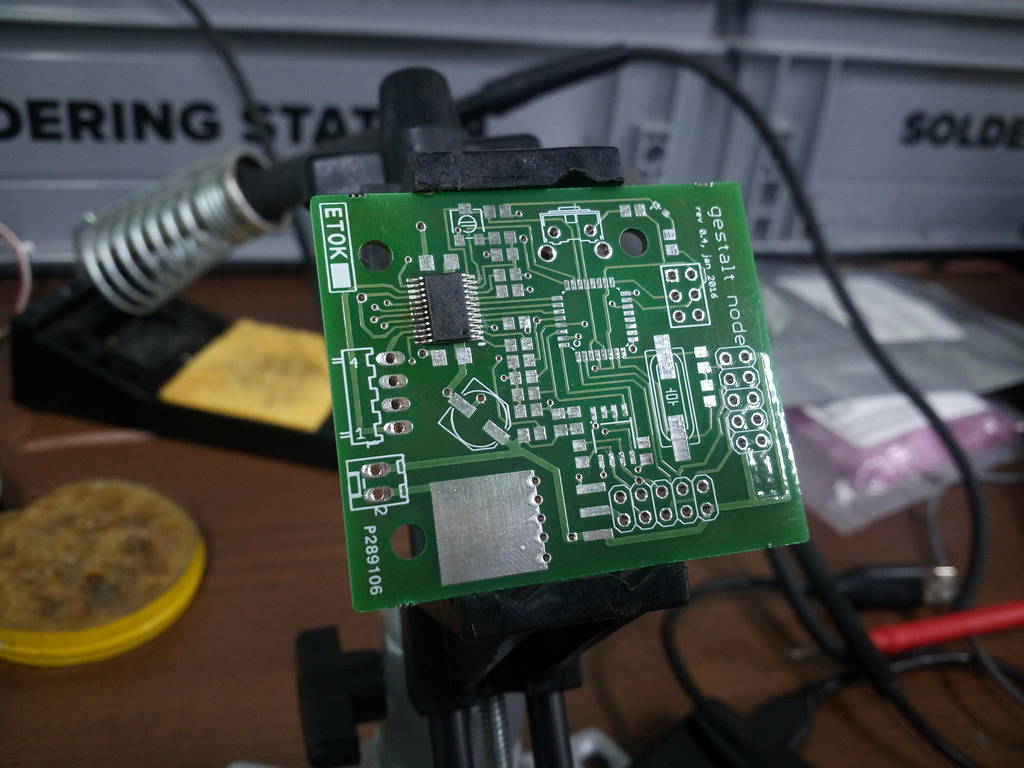
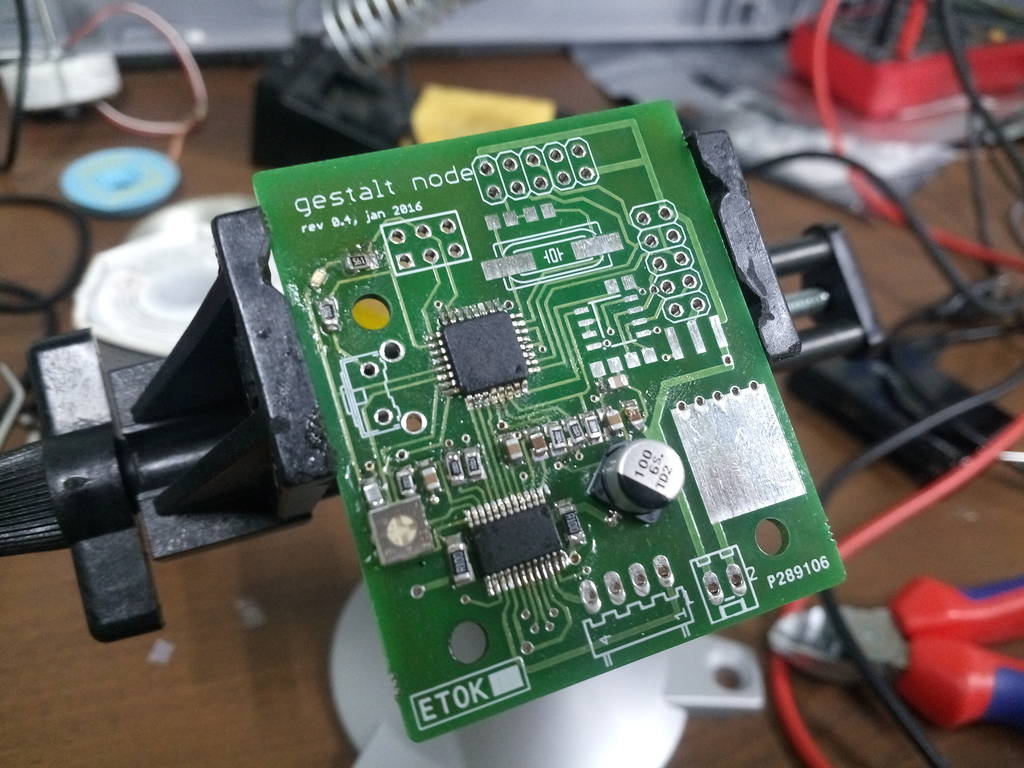
.jpg)
Green mark at LED to indicate that its positive direction
We had it soldered at fablab.
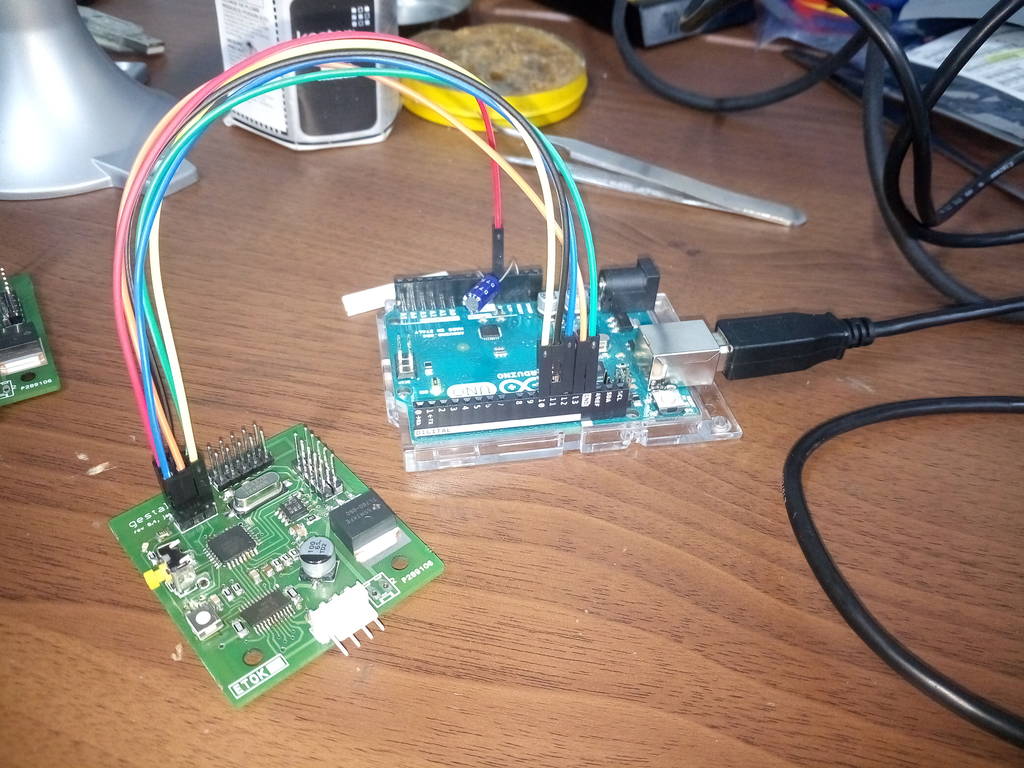
Programming of Gestalt nodes
Node is connect to Arduino UNO. Procedure for programming is explained in previous tutorial
Download or Clone Gestalt node firmware
Check on link https://github.com/imoyer/086-005
Download and extract this code. Within extracted file you will find Makefile.
Makefile will consist of following two commands
Download final Makefile from here Download
Download and extract this code. Within extracted file you will find Makefile.
Makefile will consist of following two commands
program- avrisp2arduino-fuses:
	avrdude -c  avrisp2stk500v1 -P usb -p m328p -U efuse:w:0x5:m -F
	#note that only first 3 bits can be set
	avrdude -c  avrisp2stk500v1 -P usb -p m328p -U hfuse:w:0xD8:m -F
	avrdude -c  avrisp2stk500v1 -P usb -p m328p -U lfuse:w:0xEF:m -F
Later this is changed to make it work Here
and
program- avrisp2arduino:
#	uncomment to program bootloader
#	avrdude -e -c  avrisp2stk500v1 -P usb -p m328p -U flash:w:086-005a_boot.hex
#	uncomment to program application
	avrdude -e -c  avrisp2stk500v1 -P usb -p m328p -U flash:w:086-005a.hex
Since we I am using Arduino in this case. I need to change this command. Do the changes as indicated above.
Download final Makefile from here Download
Problems encountered
I had tried burning program to these Gestalt nodes and encountered some issues which I have mentioned in below diagram. Solutions
taken are also mentioned
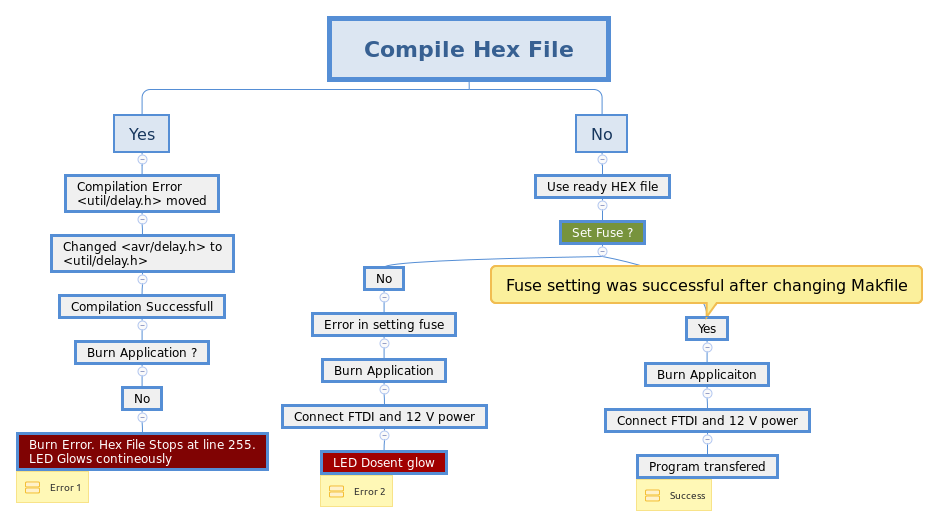
Error Setting of Fuse
I have tried fuse setting with available fuse command.
program-arduino-fuses.
program-arduino-fuses.
avrdude : verification error, first mismatch at byte 0x0000
          0xfd ! 0x05
avrdude : verification error; content mismatch

avrdude: safemode: efuse changed! Was 5, and is now fd
would you like this fuse to be changed back? [y/n] n
avrdude: safemode: Fuses OK (E:05, W:08, L:EF)
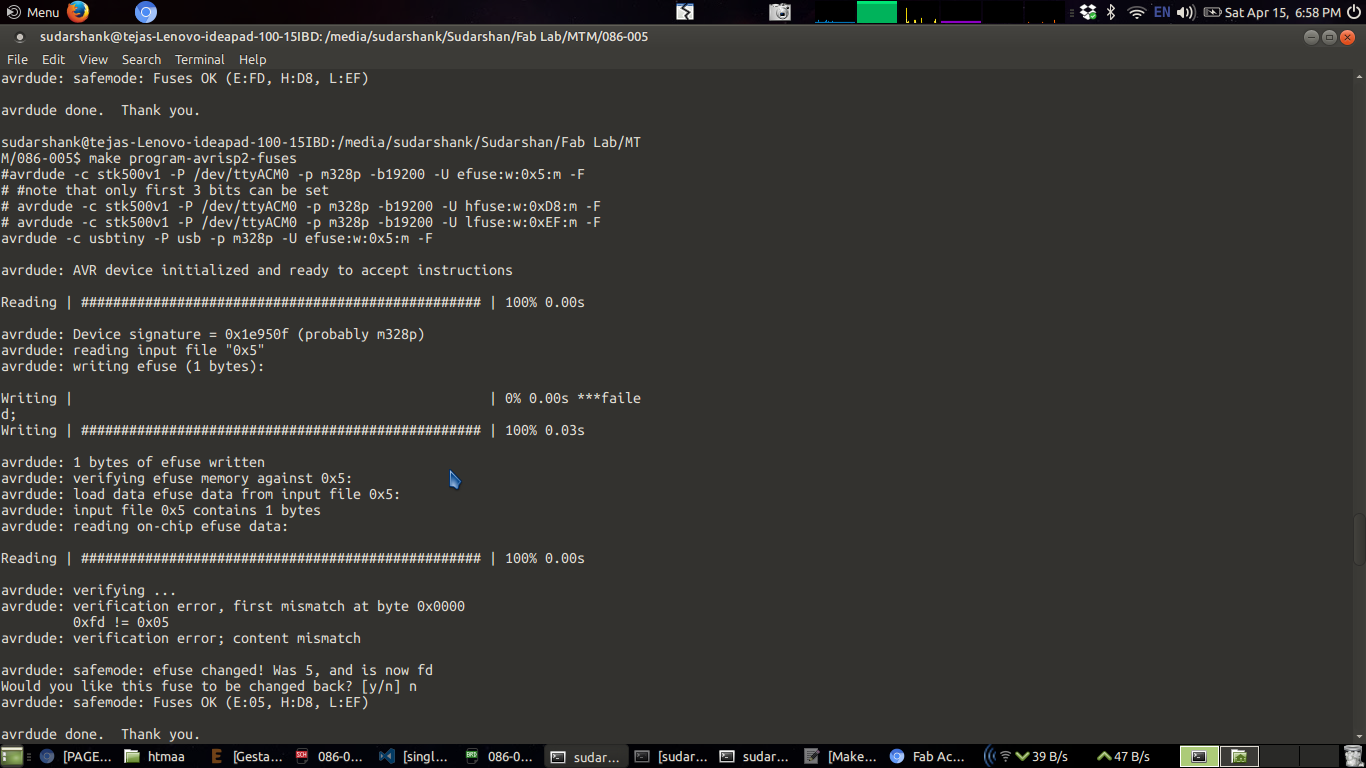
Fuse error
You can check in video that while I run cammand for setting of fuse. Its stops with a prompt to revert fuses
Fuse error log
sudarshank@tejas-Lenovo-ideapad-100-15IBD:/media/sudarshank/Sudarshan/Fab Lab/MTM/086-005-master$ make program-avrisp2-fuses
avrdude -c stk500v1 -P /dev/ttyACM0 -p m328p -b19200 -B 12 -U efuse:w:0x5:m -F

avrdude: AVR device initialized and ready to accept instructions

Reading | ################################################## | 100% 0.02s

avrdude: Device signature = 0x1e950f (probably m328p)
avrdude: reading input file "0x5"
avrdude: writing efuse (1 bytes):

Writing |                                                    | 0% 0.00s ***failed;
Writing | ################################################## | 100% 0.07s

avrdude: 1 bytes of efuse written
avrdude: verifying efuse memory against 0x5:
avrdude: load data efuse data from input file 0x5:
avrdude: input file 0x5 contains 1 bytes
avrdude: reading on-chip efuse data:

Reading | ################################################## | 100% 0.01s

avrdude: verifying ...
avrdude: verification error, first mismatch at byte 0x0000
         0xfd != 0x05
avrdude: verification error; content mismatch

avrdude: safemode: efuse changed! Was 5, and is now fd
Would you like this fuse to be changed back? [y/n] n
avrdude: safemode: Fuses OK (E:05, H:D9, L:62)

avrdude done.  Thank you.

Makefile:53: recipe for target 'program-avrisp2-fuses' failed
make: *** [program-avrisp2-fuses] Error 1
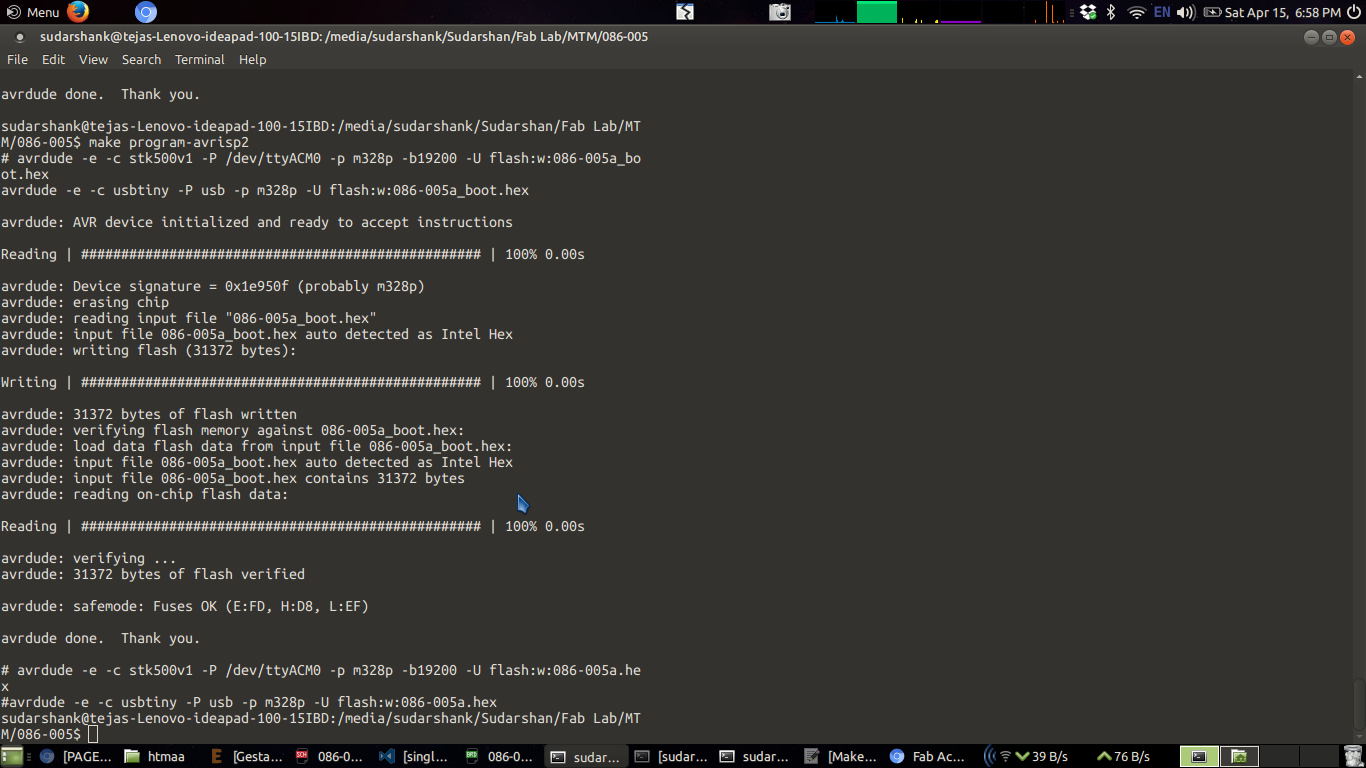
Program traqnsfered without setting of fuse
Since various attempts of setting fuse failed. I have decided to directly program a board. This is how it successfully transfered
program to board. Still there is an issues
Fab Net
Fab net is a connector which is used to connect Gestalt node with computer using FTDI cable. FTDI cable has USB male port
at one end and 6 pins of FTDI at other end
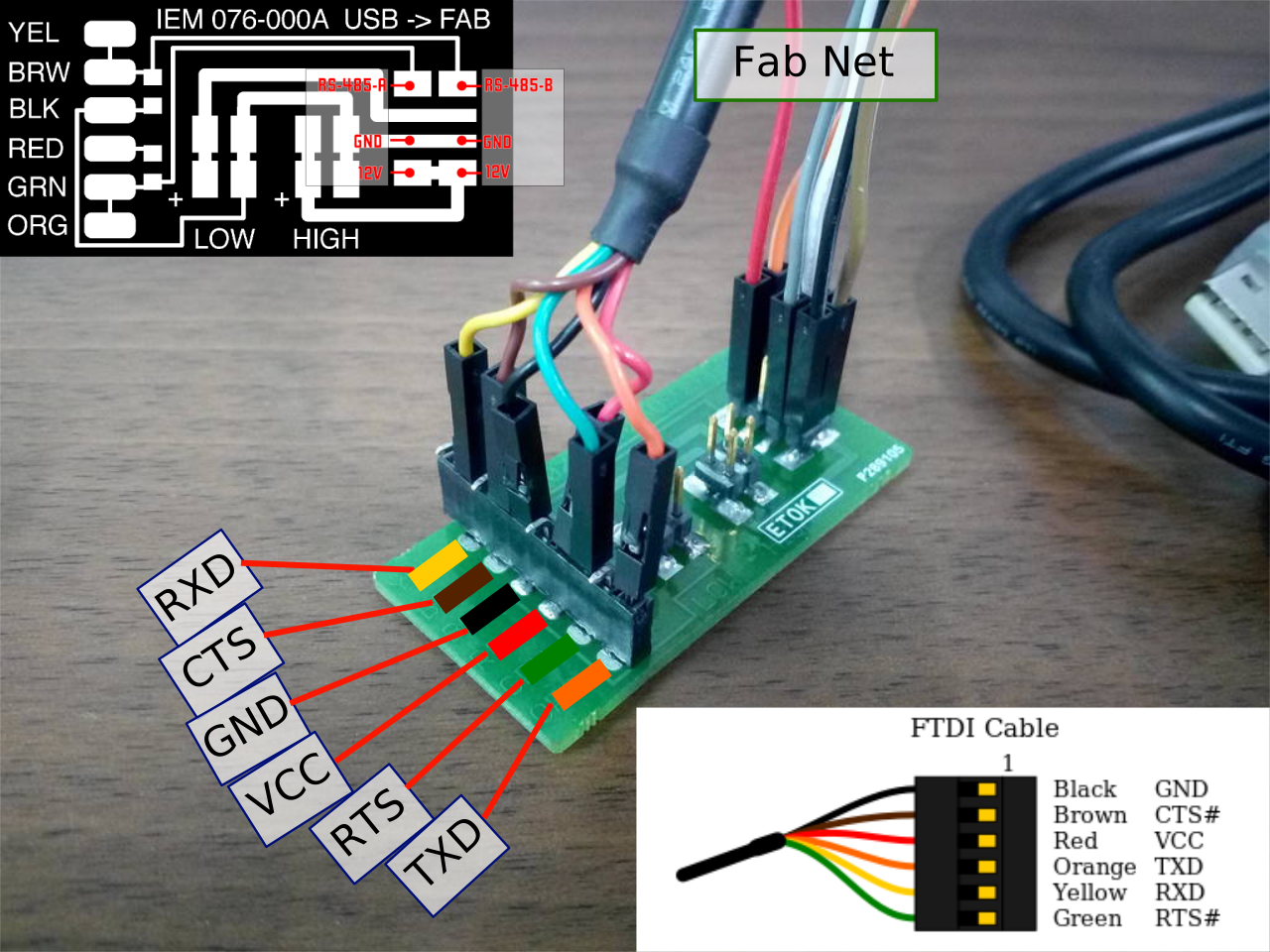
Gestalt node connection diagram. Its svg. Click on image to open in new tab and zoom
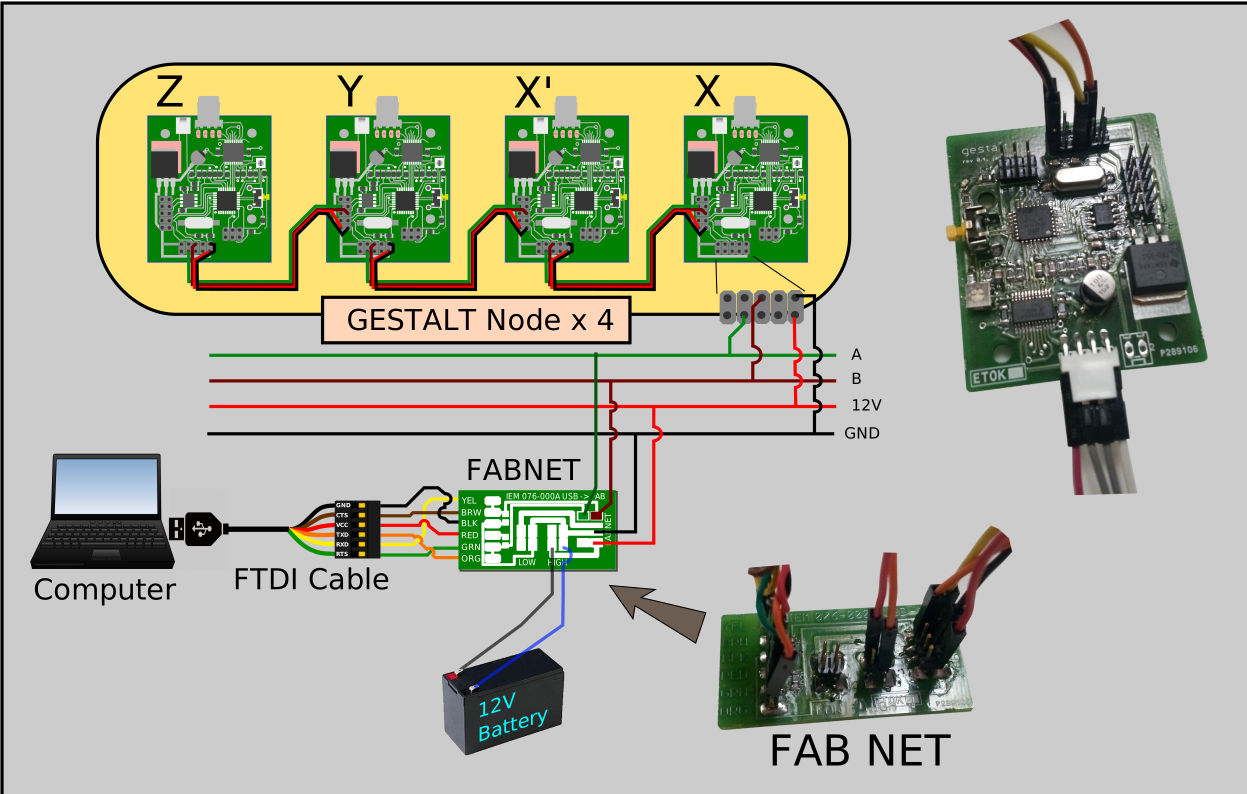
How to interface Gestalt using fabnet with computer
- You will have to install FTDI drivers is those are not installed
- Download and extract driver program for gestalt -> https://github.com/imoyer/gestalt
- Open folder gestalt-master run command
-
Run single_node.py
python single_node.py
Connected Gestalt node with motor and tried to run
Gestalt node is not getting ddetected by system
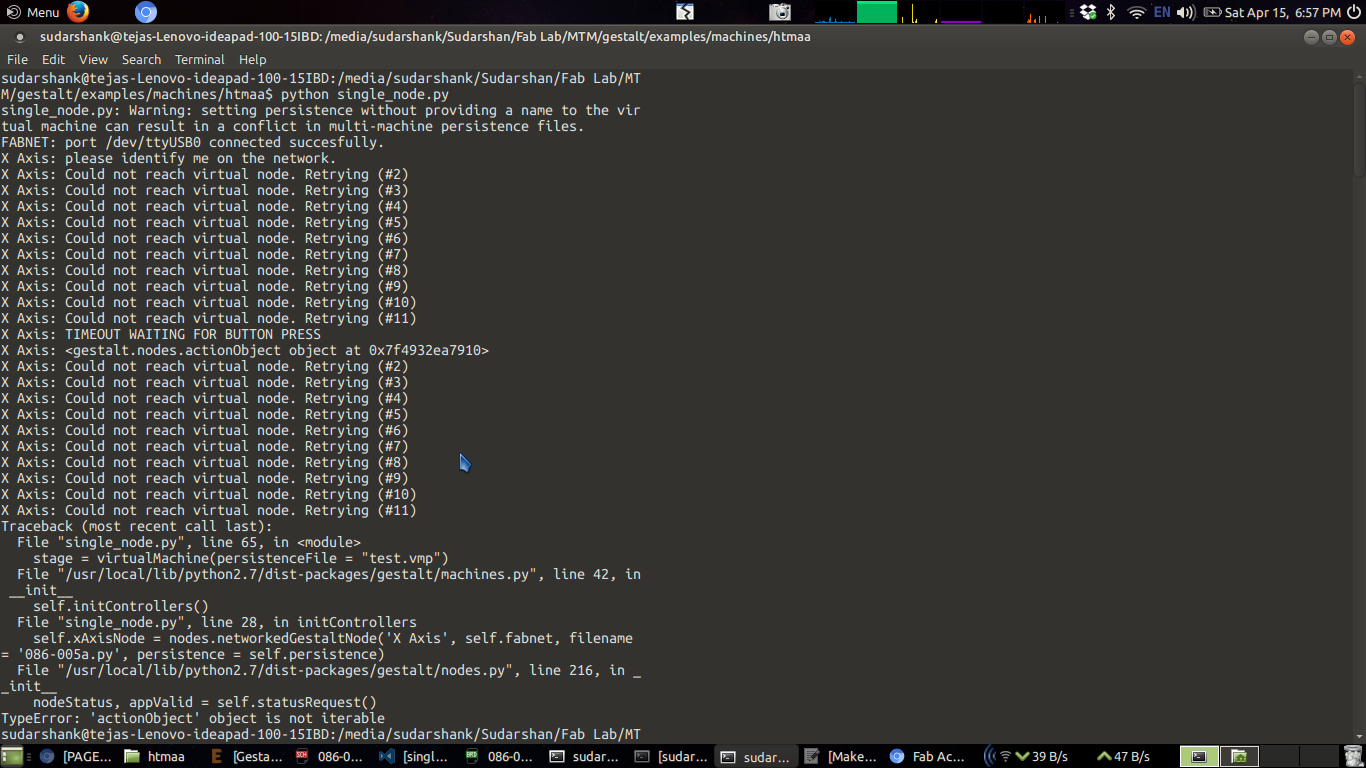
How issue is resolved ?
Not setting a fuse was the exact issue. I have resolved it by
Adding following line in Makefile
program-arduino-fuses:
	avrdude -c stk500v1 -P /dev/ttyACM0 -u -p m328p -b19200 -U lfuse:w:0xff:m -U hfuse:w:0xd9:m -U efuse:w:0xfd:m
Reference : http://www.avrfreaks.net/forum/fuse-programming-error
- cd to 086-005 folder and run following commands to transfer firmware to gestalt
- Connect gestalt node with FabISP or Arduino, run fuses and then burn program
-
make -f Makefile program-arduino-fuses //This will set fuse
make -f Makefile program-arduino //This will transfer firmware to gestalt
Program transfer successfull with newly set fuses
Working output of program
sudarshank@tejas-Lenovo-ideapad-100-15IBD:/media/sudarshank/Sudarshan/Fab Lab/MTM/086-005-master$ make program-arduino-fuses
avrdude -c stk500v1 -P /dev/ttyACM0 -u -p m328p -b19200 -U lfuse:w:0xff:m -U hfuse:w:0xd9:m -U efuse:w:0xfd:m

avrdude: AVR device initialized and ready to accept instructions

Reading | ################################################## | 100% 0.02s

avrdude: Device signature = 0x1e950f (probably m328p)
avrdude: reading input file "0xff"
avrdude: writing lfuse (1 bytes):

Writing | ################################################## | 100% 0.01s

avrdude: 1 bytes of lfuse written
avrdude: verifying lfuse memory against 0xff:
avrdude: load data lfuse data from input file 0xff:
avrdude: input file 0xff contains 1 bytes
avrdude: reading on-chip lfuse data:

Reading | ################################################## | 100% 0.01s

avrdude: verifying ...
avrdude: 1 bytes of lfuse verified
avrdude: reading input file "0xd9"
avrdude: writing hfuse (1 bytes):

Writing | ################################################## | 100% 0.02s

avrdude: 1 bytes of hfuse written
avrdude: verifying hfuse memory against 0xd9:
avrdude: load data hfuse data from input file 0xd9:
avrdude: input file 0xd9 contains 1 bytes
avrdude: reading on-chip hfuse data:

Reading | ################################################## | 100% 0.01s

avrdude: verifying ...
avrdude: 1 bytes of hfuse verified
avrdude: reading input file "0xfd"
avrdude: writing efuse (1 bytes):

Writing | ################################################## | 100% 0.01s

avrdude: 1 bytes of efuse written
avrdude: verifying efuse memory against 0xfd:
avrdude: load data efuse data from input file 0xfd:
avrdude: input file 0xfd contains 1 bytes
avrdude: reading on-chip efuse data:

Reading | ################################################## | 100% 0.01s

avrdude: verifying ...
avrdude: 1 bytes of efuse verified

avrdude done.  Thank you.

sudarshank@tejas-Lenovo-ideapad-100-15IBD:/media/sudarshank/Sudarshan/Fab Lab/MTM/086-005-master$ make program-arduino
avrdude -e -c stk500v1 -P /dev/ttyACM0 -p m328p -b19200 -U flash:w:086-005a.hex

avrdude: AVR device initialized and ready to accept instructions

Reading | ################################################## | 100% 0.02s

avrdude: Device signature = 0x1e950f (probably m328p)
avrdude: erasing chip
avrdude: reading input file "086-005a.hex"
avrdude: input file 086-005a.hex auto detected as Intel Hex
avrdude: writing flash (3910 bytes):

Writing | ################################################## | 100% 4.32s

avrdude: 3910 bytes of flash written
avrdude: verifying flash memory against 086-005a.hex:
avrdude: load data flash data from input file 086-005a.hex:
avrdude: input file 086-005a.hex auto detected as Intel Hex
avrdude: input file 086-005a.hex contains 3910 bytes
avrdude: reading on-chip flash data:

Reading | ################################################## | 100% 2.42s

avrdude: verifying ...
avrdude: 3910 bytes of flash verified

avrdude: safemode: Fuses OK (E:FD, H:D9, L:FF)

avrdude done.  Thank you.

sudarshank@tejas-Lenovo-ideapad-100-15IBD:/media/sudarshank/Sudarshan/Fab Lab/MTM/086-005-master$
Testing of gestalt node working
After successfull program transfer. We have connected 2 nodes and it worked. Refer video
Testing after connecting with MTM modules
Gestalt node is now connected with MTM module. Only one module is connected. In this video modules are kept one over another
just to check movement
Connected gestalt node with other 3 nodes
Refer connection diagram
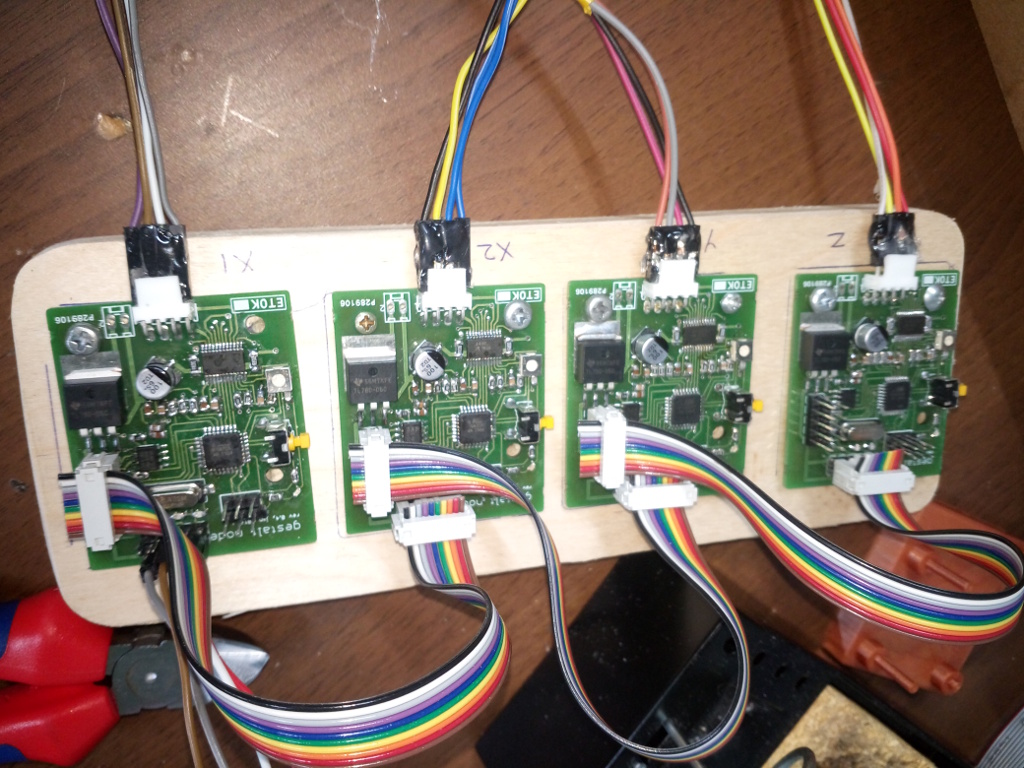
Gestalt nodes connected to MTM
Here we have used jumper cables to connect Gestalt with motor which is actually bad idea. This has resulted
several issues while running machine. You should use some cable with higher ampere rating
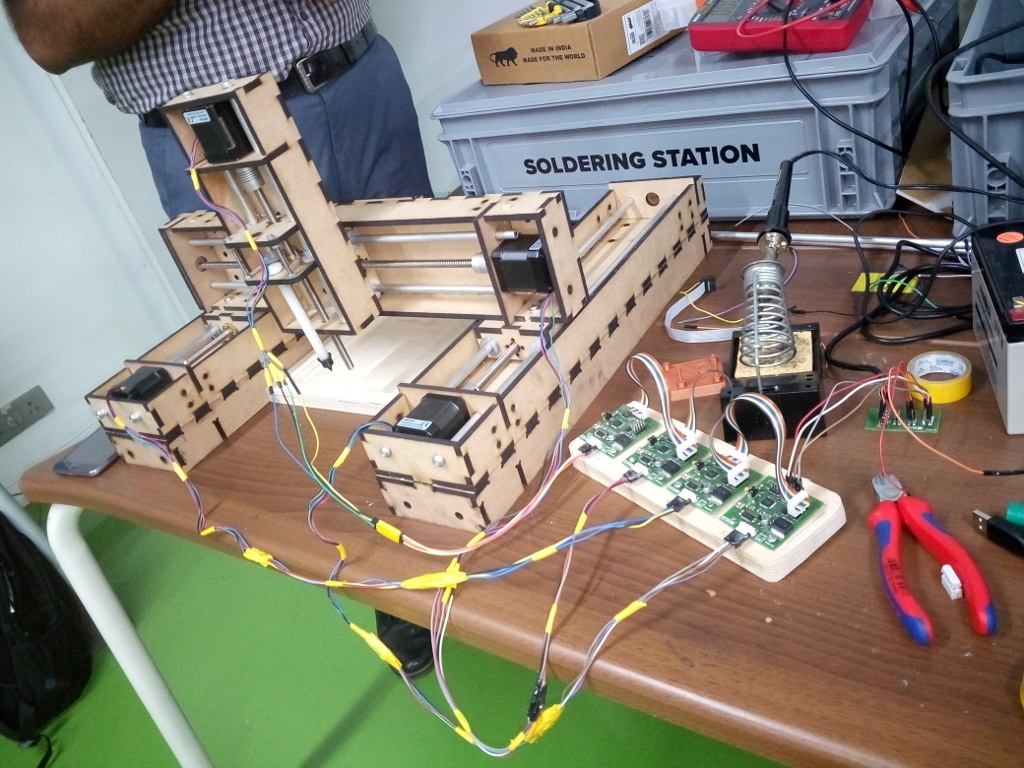
Trial with all MTM modules
All MTM modules are assembled as planned and then its how working
Use of pygestalt to run machine to draw letters
Download it from here https://github.com/nadya/pygestalt
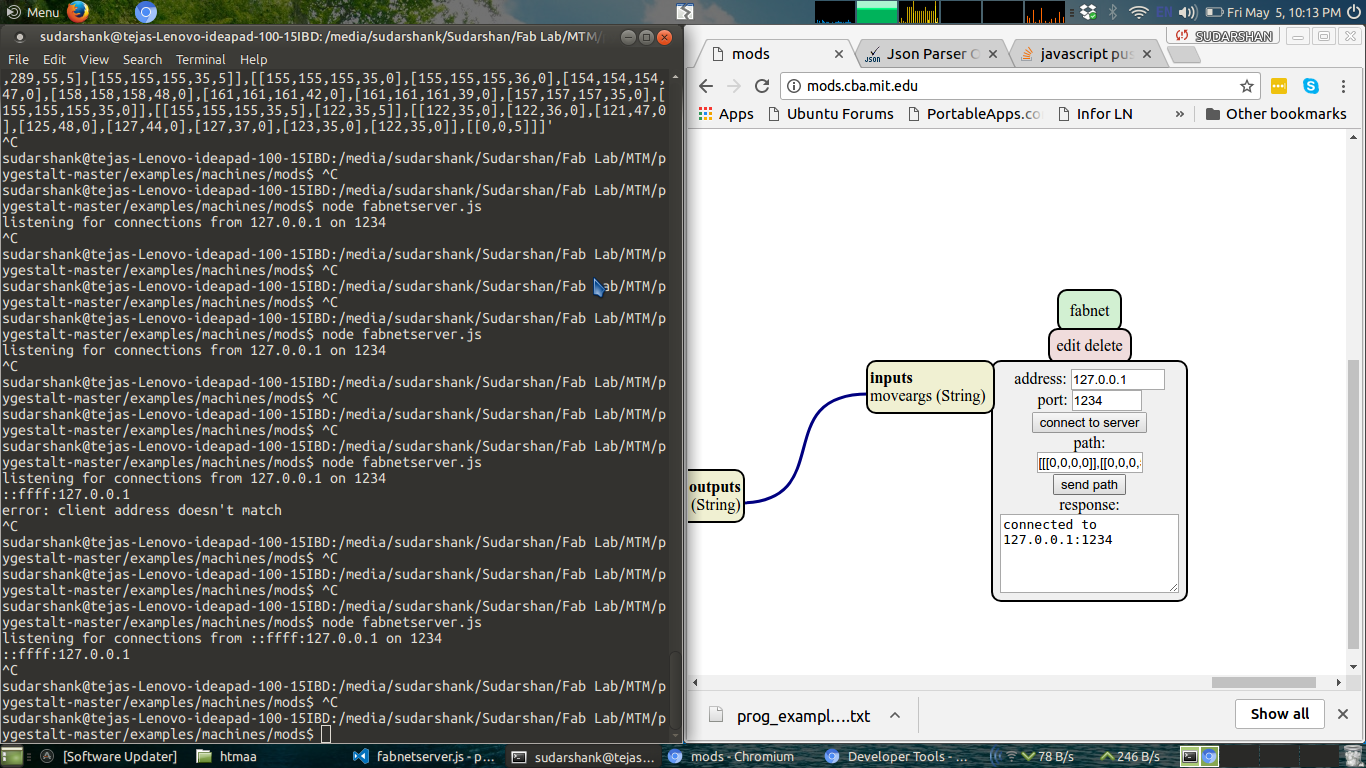
pygestalt program will create a server where you can provide an input as an image and then machine will print that image with lines.
Readme information is available here https://github.com/nadya/pygestalt/tree/master/examples/machines/mods
pygestalt program will create a server where you can provide an input as an image and then machine will print that image with lines.
Readme information is available here https://github.com/nadya/pygestalt/tree/master/examples/machines/mods
Study mods
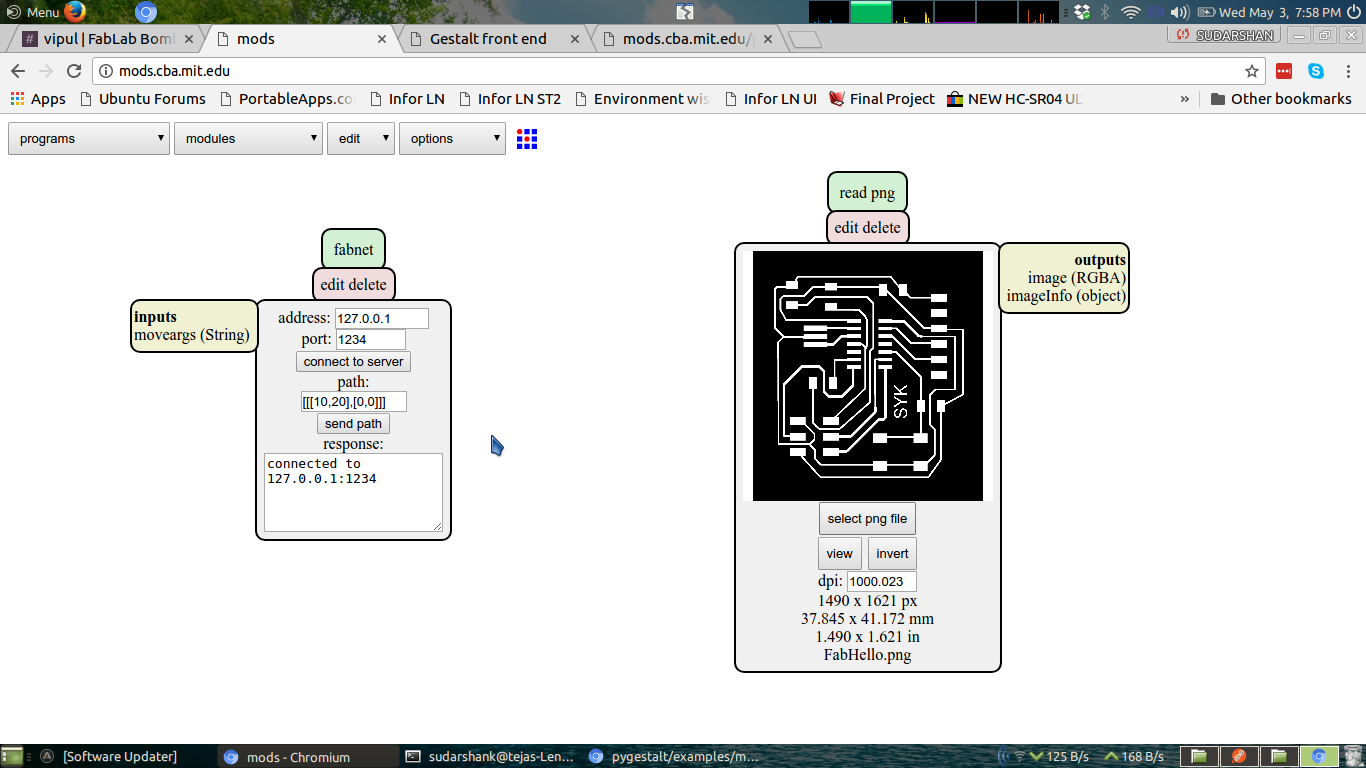
Trial with fabnet server
Mods
Using mods to write and convert png image to svg path and finally to coordinates which then its an input to our machine
Head to mods website http://mods.cba.mit.edu/
Head to mods website http://mods.cba.mit.edu/
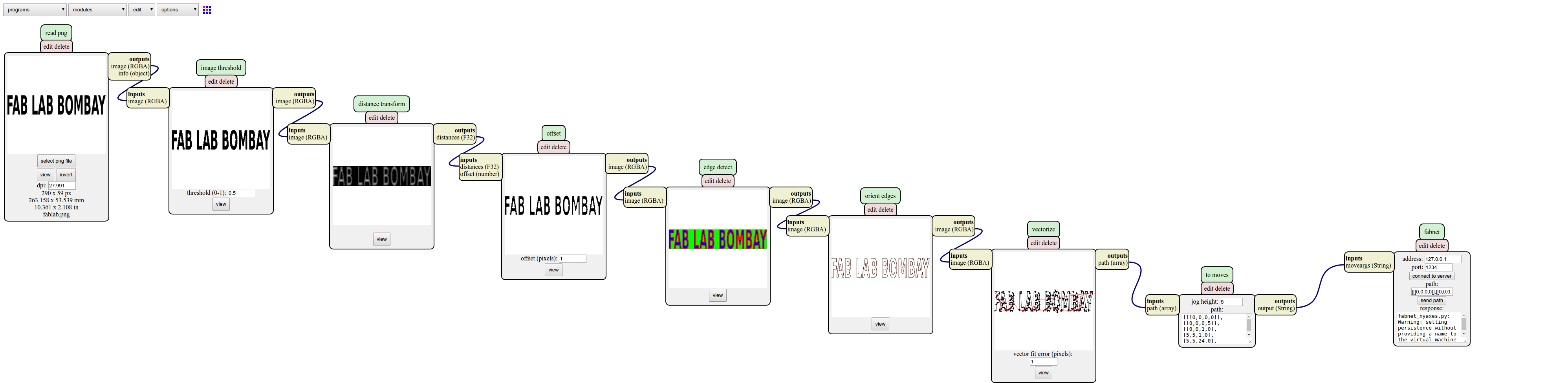
Custom mods file
I have modified fabnet program to operate machine with 4 stepper motors as its in our case. This program outputs 4 coordinates
which are rquired to operate this 4 axis machine.
additionally
sudo npm install -g shelljs
to run program correctly. as previous child_process script is not working
You can download all modified files from here
mods_SYK.zip
sudo npm install -g shelljs
to run program correctly. as previous child_process script is not working
You can download all modified files from here
mods_SYK.zip
How it works Finally
Finally machine is working as we expected
