Exercise 1 - Principles & Practices, Project Management
Assignment for this week
Work through a Git tutorial, build a personal site describing myself, plan a potential final project and upload to Git repository.
Git
With reference to websites like Understanding Git and Git Basics. I have a better understanding what is a Git and its purposes. The purpose of Git is to manage a project, or a set of files, as they change over time. Git stores this information in a data structure called a repository.
As I am using a Windows Laptop, a Windows version of Git has to be downloaded. Linux and Mac version are also available. When the Git Installation is completed, 3 shorcut will be created namely Git Bash, Git CMD and Git GUI. I will be using Git Bash.
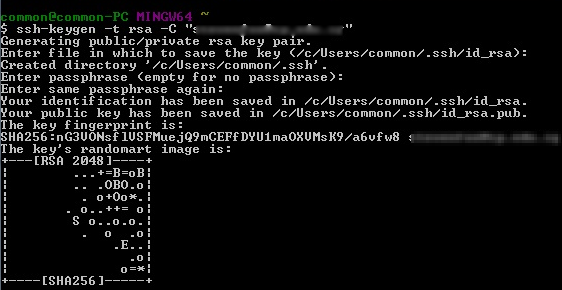
Firstly, you need to create an account a t Fab Academy Git repository. After account creation, in order to establish a connection between your computer and GitLab, an SSH key need to be generated. Copy the generated SSH key so that it can be setup in GitLab later. Type the following command at Git Bash
ssh-keygen -t rsa -C "user@email"
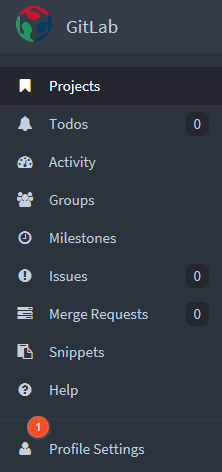
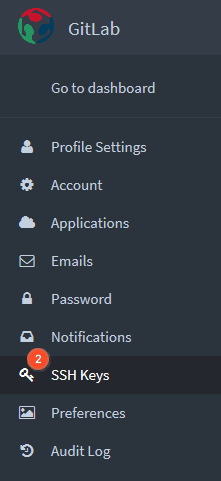
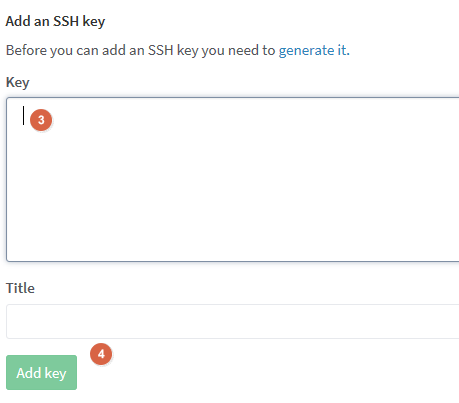
Next, go to GitLab for Fab Academy > (1) Click on Profile Settings > (2) Click on SSH Keys > (3) Paste the SSH Key copy earlier > (4) Click on the button Add Key.
 |
 |
 |
With SSH key setup successfully in GitLab, clone the Fab Academy repository to local Repository using the following command but do remember to change (LabRepo) with the name for your Fablab Group Name
git clone git@git.fabacademy.org:fabacademy2017/(LabRepo).git
Once the Fab Academy repository is clone, you will find a folder with the same name as your Fablab group name in the Local Repository. Use the following command below in Git Bash to enter the local Repository.
	cd (LabRepo) > (LabRepo) refers to your Fablab Group Name
	cd students > a subdirectory within the Fablab Group Name
	cd (student id) > (student id) refers to each unique student_id in the students folder
Copy your web files to your own student_id folder using Windows explorer.
To update files back to the Remote Repository or pull updated files from Remote Repository, used the following command
	git push
	git pull
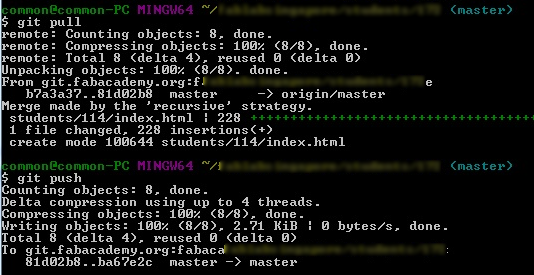
The following order should be used to push files to the Remote Repository
	git pull > get latest update down to local drive
	git add . > adds modified and new files to be committed later.
	git commit -m "testing" > commits the files that have been added and creates a new revision with a log
	git push > pushes updated files to repository
Building the Site
To build this website, I am using the Fab Academy Template by Massimo Menichinelli.The last time I edited a webpage was using Microsoft Frontpage. It was a discontinued WYSIWYG HTML editor and Web site administration tool from Microsoft.
The tool I am using for editing the the FabAcademy Template is Sublime Text 3 introduce by the Local Gurus. Sublime Text 3 is free and available in Windows 32Bit/64Bit, Mac and Linux platform. Portable version is also available for download.
Understanding of the code in the template was aided by some useful websites like w3schools and Learn to Code HTML and CSS. It covers the basics of HTML and CSS and how to structure and style your webpage. A screenshot of my edited website using Sublime Text 3
