Week 10 - Machine Design
Machine Programming and Fabrication
This week we needed to take the Machine we made the week before and program it. Richard and David met with Terrence to go over the programs and software we would need. They would in turn pass down that information to the team.
Parts and Components
We needed to solder the board after cutting it. We used a 9 ribbon wire and a jumper wires that are maile to male using Getting Started With Gestalt Nodes webpage that showed us how to connect the wires. We also used a 12volt battery to power the board using jumpwer wires. We also used the schematic from FABNET with wiring the 12v and GND.
Programming
To begin the programming I needed to install some software. I went to the Fab Lab Tutorial Getting Started With Gestalt Nodes. At the bottom of the page of Adafruit Python tutorial I downloaded the zip file from the pyserial zip file from the adafruit page. Next, I moved the pyserial zip file from my downloads folder to my desktop. Than installe nadya/pygestalt GitHub page and installed the unzipped folder on my desktop. I than used my terminal to complete the following unzipping process and installation process:
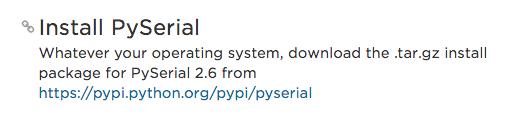
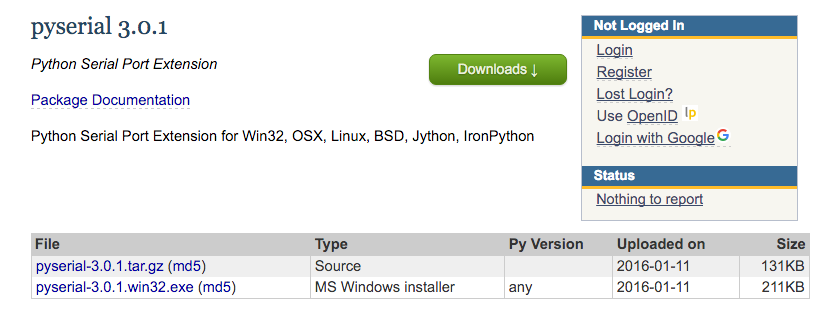
I used the following commands in terminal to install.
	<p>
$ tar -xzf pyserial-3.0.1.tar.gz
$ cd pyserial-3.0.1
$ sudo python setup.py install
$ cd pygestalt-master/
$ sudo python ./setup.py install
	</p>
Code
I opened my text editor and opened the single nodes file from the pygesalt-master folder. We changed lines 25 and 77. Line 25 needs to be changed to your usb port connection. Line 77 we changed this to make the motors move in different ways as well as loop for the agitation.

The video below shows the code working.
Setting the Agitator
Tom was the lead on programming the agitator. He figured on that the four numbers in line 77, [20],[40],[10],[0], can be changed to make the stepper motors move differently. Not sure if it was distance since there are four values and not two. The four vaules allow you to move the motors along the axis as well as change the velcoity and time. Tom added a loop to the code so it would change how long it repeated the back and forth behavior for agitation.
Buttons
Tom informed us that when we run the program, we needed to press each of the buttons for the hardware to recognize the software, then the two blue lights will come on.
Motor #2
When adding a second motor and board you need to connect the second board to the first board using the side jumper pins. This is important so that the boards are connected correctly. You shoulfollow the diagram and images on the Fab Site. You need to remove the vm file. Then restart the two motor programs and press the two blue buttons and the machine should work.
Ian and David realized we need to have a stronger connection for the agitator when stacking the two parts.They used bottles to connect the top piece to the moving bottom piece.
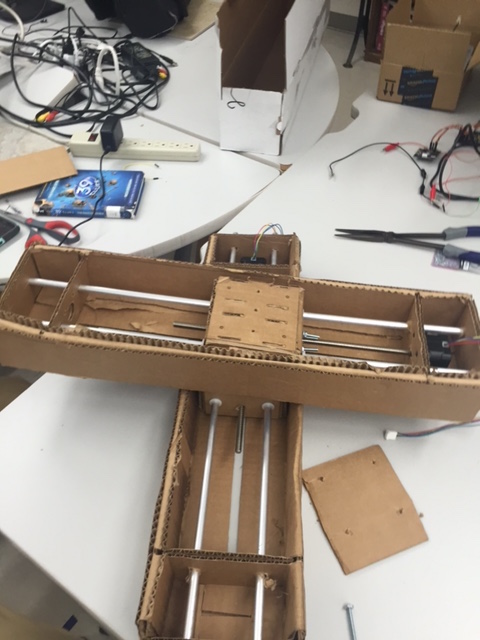
It's ALIVE!!!!!
We added weights to the top piece to counter balance the stepper motor. We then opened the xy_plotter.py file to make changes. The velocity was set to 20 in line 83, 20 velocity was to high and the rod slipped and jam. The moves = [[5,5],[0,0],[-5,-5],[0,0] was reset testing to get the two stepper motors moving in short movements to agitate the liquid in the test tubes. These values controlled the accerlation and the coordinates on the axis. We learned that making the steppers move less with a start and stop process, we could make the liquid move more. The test tubes were filled with water and food coloring for our test, and the box had holes put in it to the size of the test tubes. Below is the video of the agitator working correctly. Also is a link to the agitation code that David and Ian worked on.